A client app and a coach app for online coaches
Your check-ins, written for you.
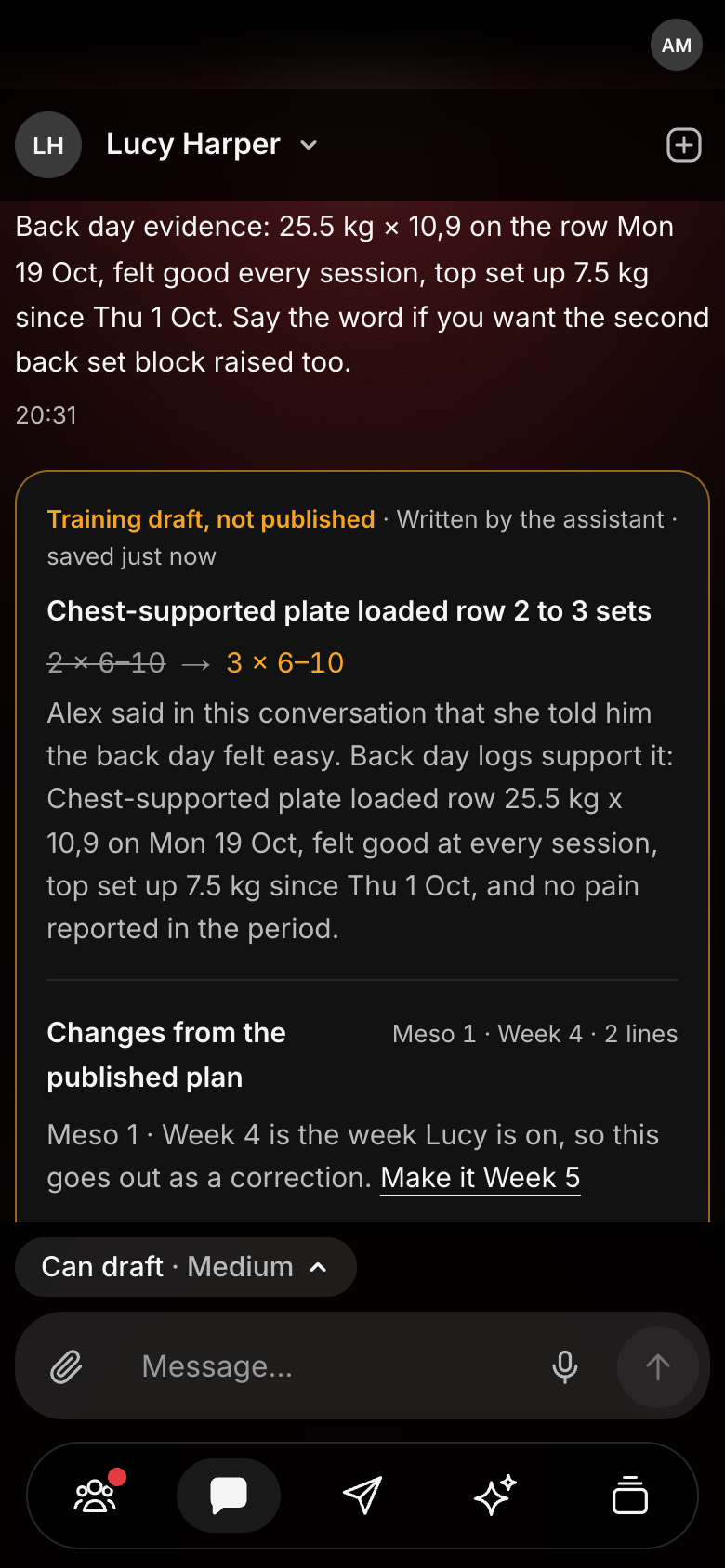
Your AI assistant reads the week and drafts the changes. Nothing reaches a client until you approve it.
Shown: the coach app, a drafted change waiting for approval.
Sunday night.
A WhatsApp thread per client.
A spreadsheet per client.
A Word plan per client.
And the clients who stopped logging on Wednesday.
Step 1 of 5 · The client app
Clients actually log.
It feels like the apps they already open. One tap an answer.
- A set saves in about a second. The tick is the signal.
- Food in one tap. As planned, swapped or skipped.
- How hard was that? A 1 to 10 at the end, optional.
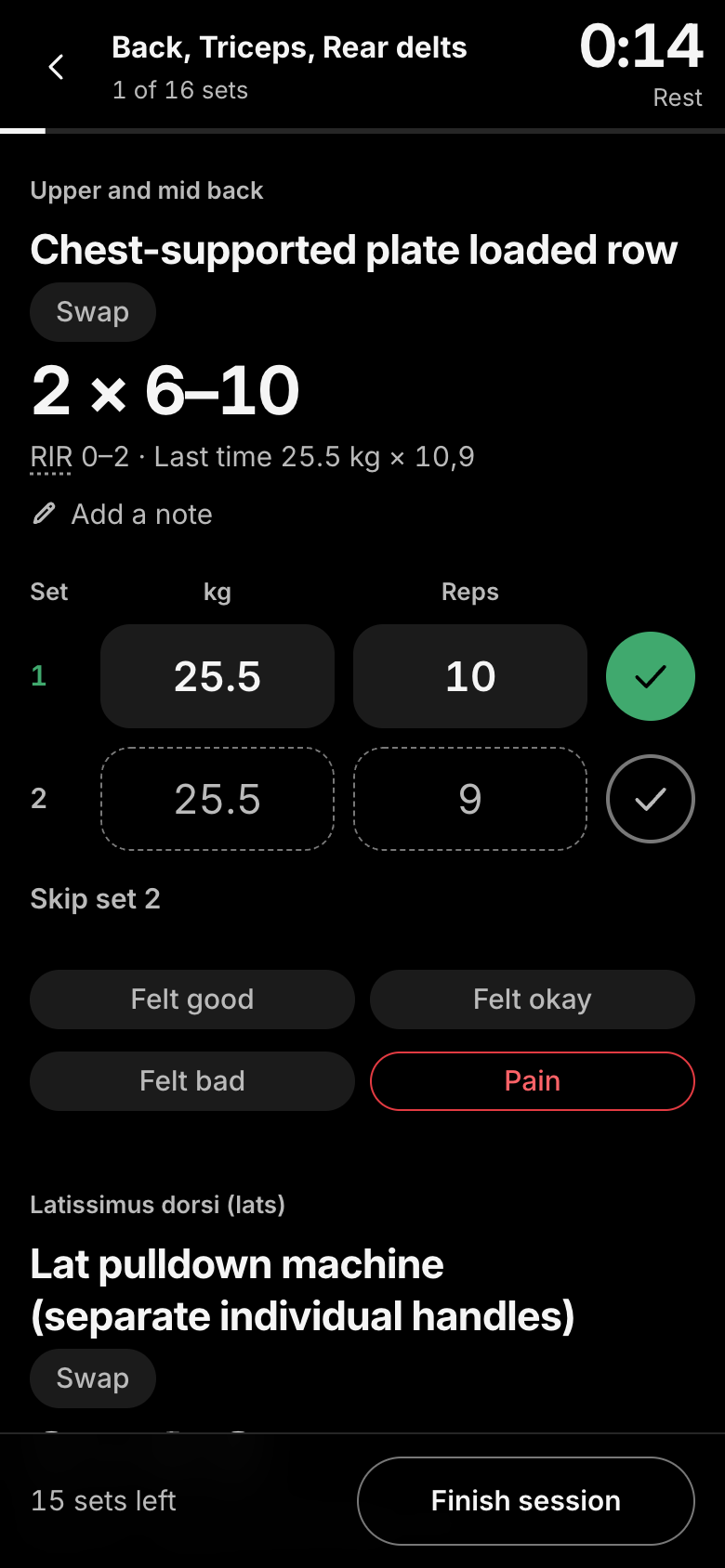
- Feel chips. Felt good, okay, bad, or pain, which tells the coach at once.
Made-up data. Nothing is saved here; on the real thing a tick saves in about a second.
Step 1 of 5, the client app. You are Lucy, a client. Log her workout, then her food.
Back, Triceps, Rear delts
0 of 4 sets
0:00
Rest
Some sets are not ticked. Tap again if you are done.
4 sets left
Diet
Daily targets
- kcal
- 2,100
- Protein
- 140 g
- Carbs
- 235 g
- Fat
- 65 g
Meals
2 of 4Step 2 of 5 · The coach app
A check-in, start to finish.
Your assistant reads the week and drafts the changes. You read them, change what you like, and publish. Only then does the client see it.
Simulated here in a few seconds on made-up data. The real one is drafted while you wait.
Step 2 of 5, the check-in. You are the coach. Draft Lucy’s check-in, change what you like, then publish.
Check-in · Mon 19 to Sun 25 Oct
- Sessions
- 3 of 6
- Meals on plan
- 24 of 25
- Last weigh-in
- 70.1 kg (−0.3)
- Average sleep
- 7.4 h
Publishing a change closes this check-in.
In the app, this opens Lucy’s plans, where you change any line by hand.
Training
Meso 1 · Week 4 · Each session 2×
Up next
Back, Triceps, Rear delts
7 exercises
This week
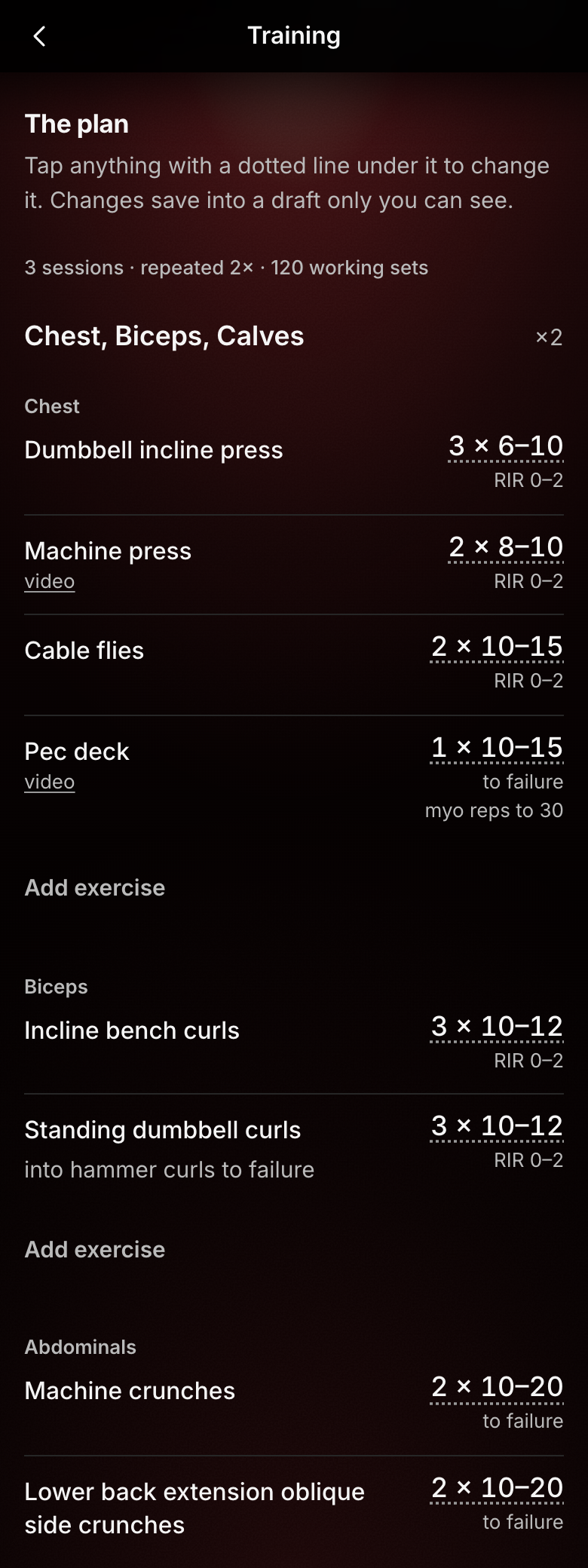
3 of 6 sessions- Chest, Biceps, Calves9 exercises · Last done Thu 22 Oct1/2
- Back, Triceps, Rear delts7 exercises · Last done Mon 19 Oct1/2
Diet
Daily targets
Step 3 of 5 · No signal
Works in the gym basement.
No signal, no problem. A saved screen opens in about a tenth of a second, and every set is kept on the phone and sent later.
What you tap is kept on the phone, in order, and sent when the signal returns.
Step 3 of 5, no signal. Lucy trains in a basement. Turn the signal off and keep logging.
Chest, Biceps, Calves
0 of 2 sets
2 sets left
Step 4 of 5 · Make it yours
Your name on their Home Screen.
Your own app, named as you like, installed from a link you send. Set up for you, no app store.
We set up your name, your logo and the glow your app starts on. Each client then picks their own look on the phone: eighteen themes, ten glow colours and larger text.
Step 4 of 5, make it yours. Choose your app name, add your logo and pick a glow.
Anything you like. It is what clients see on their phone.
Stays on this device. Nothing is uploaded.
Glow
Training
Meso 1 · Week 5 · Each session 2×
Up next
Back, Triceps, Rear delts
7 exercises
Start sessionThis week
3 of 6 sessions- Chest, Biceps, Calves9 exercises · Last done Thu 22 Oct1/2
- Back, Triceps, Rear delts7 exercises · Last done Mon 19 Oct1/2
Step 5 of 5 · Your numbers
Your check-ins, in your numbers.
Only what you type. No claims.
The draft is written for you. Reading it and deciding is still yours.
Step 5 of 5, your numbers. Put in your own two numbers.
All your clients’ check-ins, added up.
Reading the week, deciding, writing back.
Your time on check-ins
Type both numbers. Your hours a month on check-ins appear here.
What we measured
- Under a minute
- Autopilot drafts a check-in
- About a second
- A ticked set saved
- About a tenth of a second
- A saved screen, no signal
Less admin
Your day, sorted.
Who needs you, what everyone did, and one change for many clients at once.
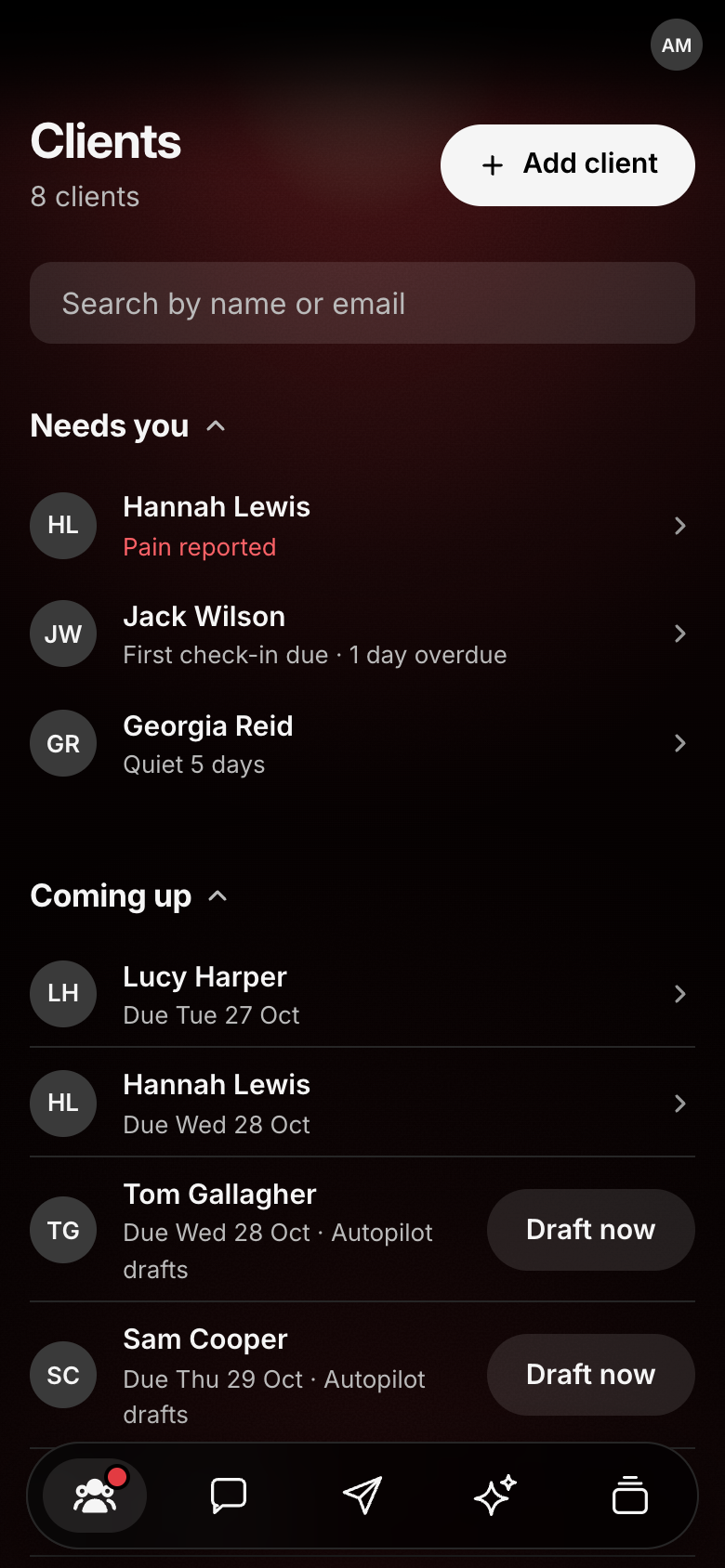
Needs you: pain, quiet clients, check-ins due
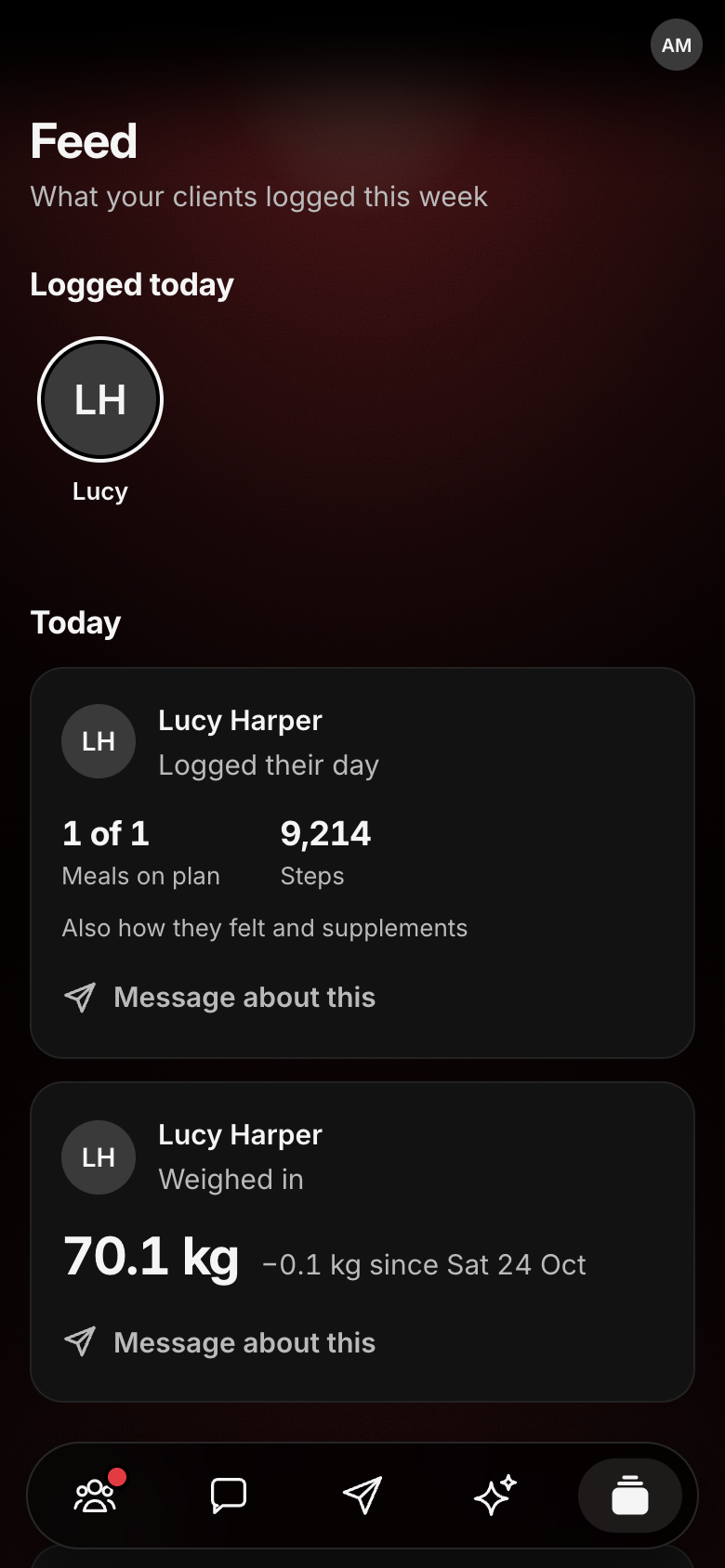
The Feed: every client’s week as it happens
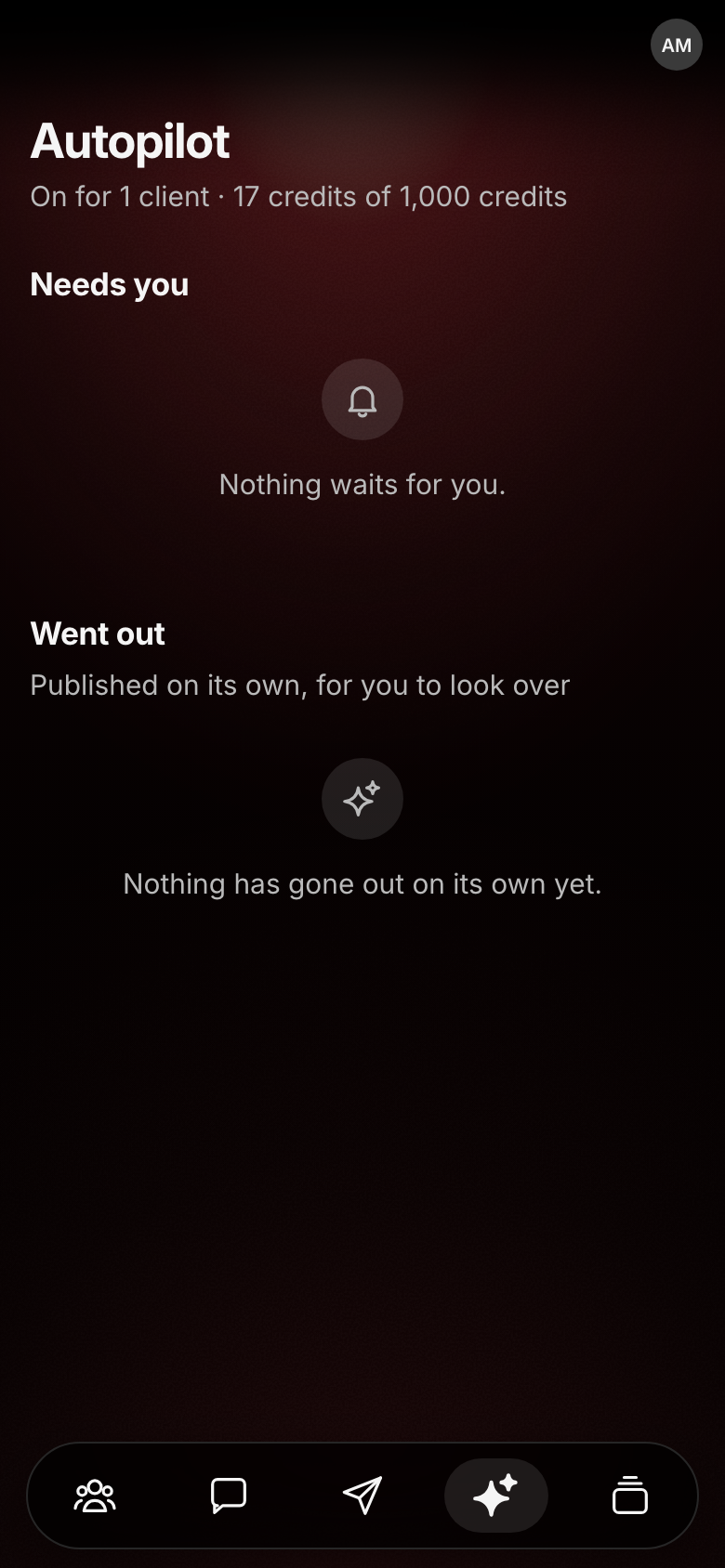
Autopilot: drafts for your tap, or sends numbers only, under a cap you set
- Needs you, ranked. Pain first, then changes waiting on you, then check-ins due.
- The Feed. Every client’s week, as they log it.
- Many clients at once. Select ten and change their check-in cadence, units, rest timer or autopilot in one go.
- Autopilot, only if you turn it on. It drafts routine check-ins for your tap. If you let it send on its own: numbers only, never a word it wrote, under a monthly cap you set.
Less admin
New clients and messages, handled.
Your own intake form, replies drafted for you, and the notes everyone needs, pinned.
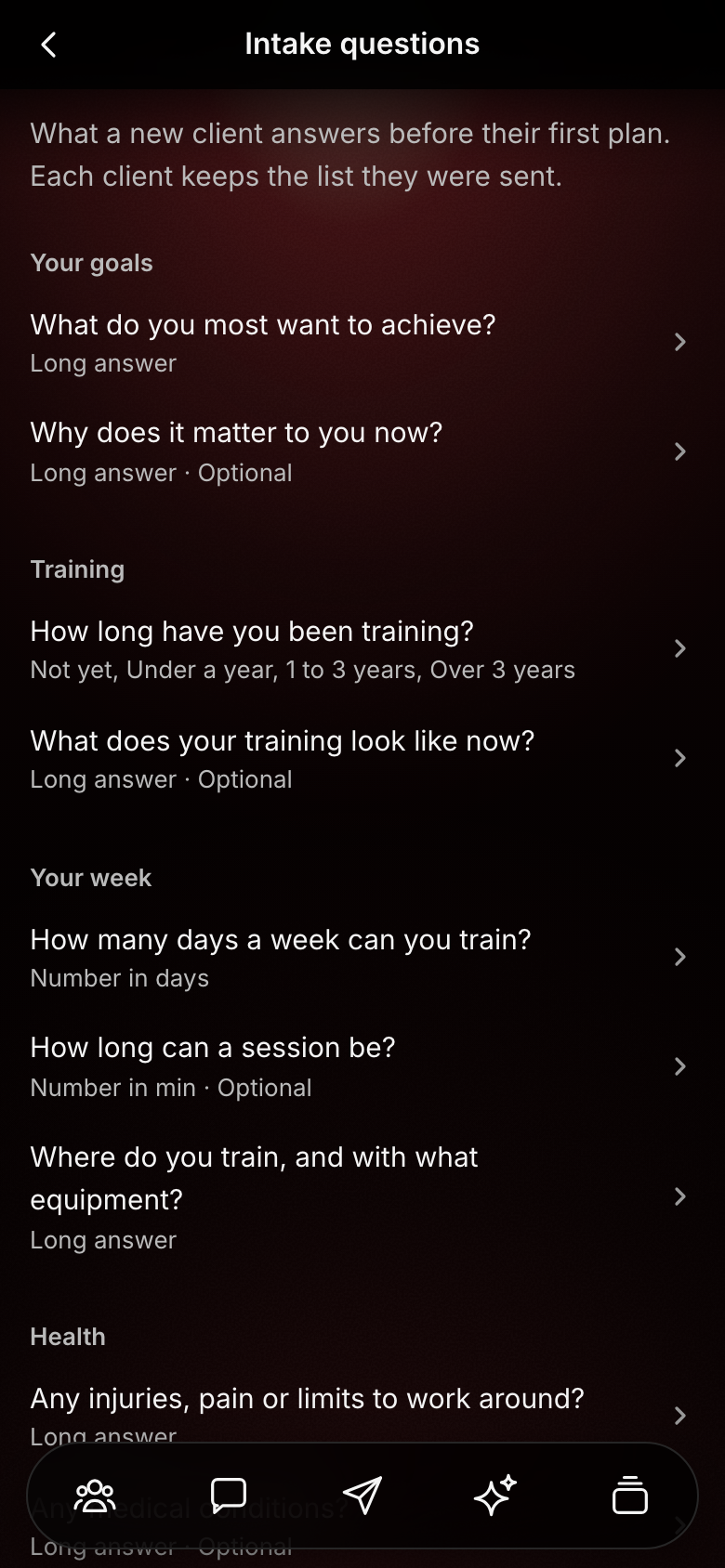
- Your own intake form. Write your questions once. Every new client answers them before their first plan.
- One tap into their profile. Copy an injury, goal or equipment answer straight into the client’s details.
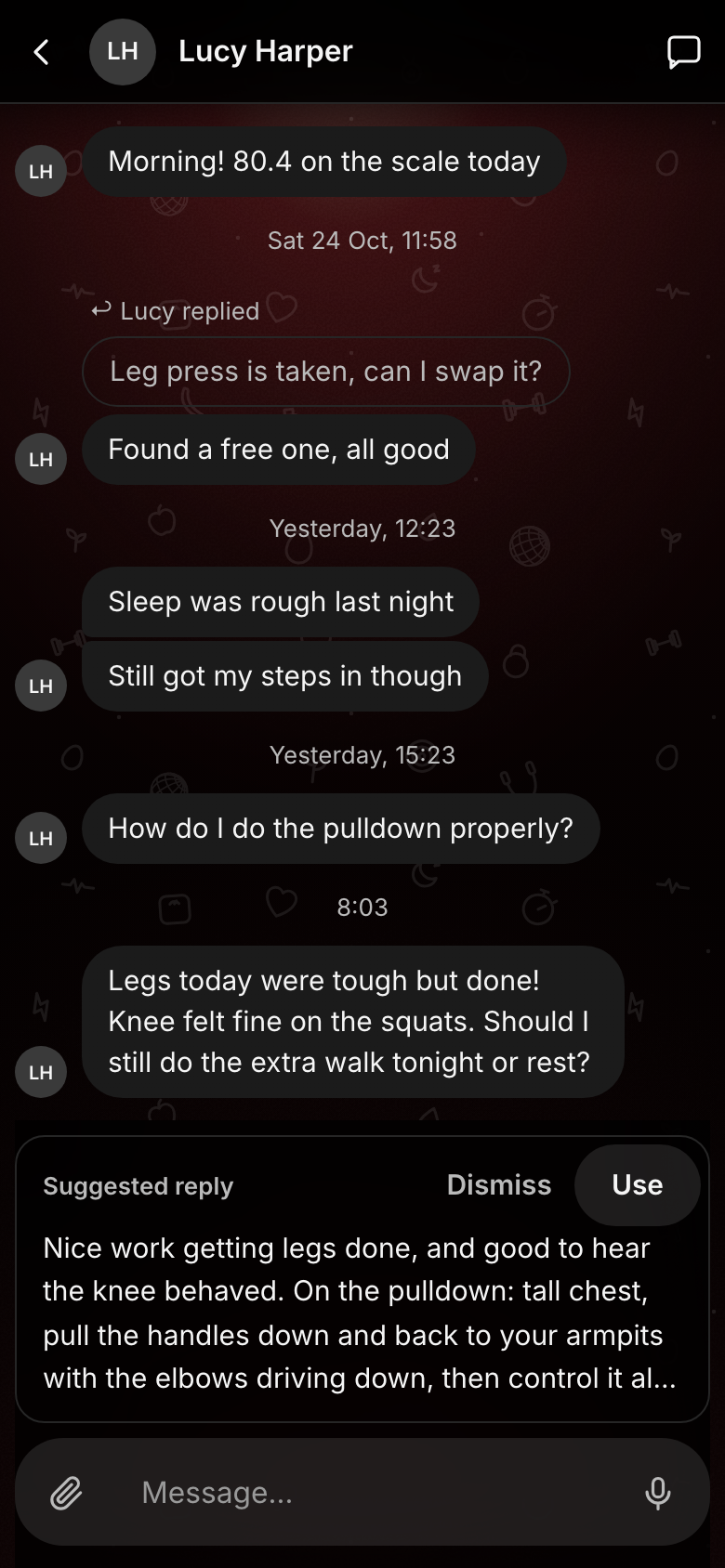
- Suggested replies. Your AI assistant drafts a reply to a client’s message. You edit it and press Send.
- Pinned notes. Keep your booking link or house rules pinned at the top of every client’s messages.
- Messages built in. Photos, videos, voice notes, reactions and replies, beside the logs they are about.
- Notifications with the words. A message on the lock screen, or a plain alert if they prefer.
Your AI assistant
An assistant that knows every client.
Ask about anyone’s week, or have it draft the next one. You decide what goes out.
- Ask about any client. “How is her squat moving?” answered from the logs, with the dates.
- It drafts, you publish. Change any figure, ask for something different, or leave a plan out.
- Written your way. Tell it how you program, and it drafts changes the way you would.
- Quick answers. A simple question comes back in a few seconds.
- Reads what you send it. A PDF, a spreadsheet or a photo of a plan, to ask about.
- Only what you allow. It reads a client’s messages only where you switch that on.
Clients who log more
Made for the gym floor.
Quick to log, easy to read back, and it reminds them.
- Reminders at their times. A meal or supplement can carry a time, and the phone reminds them.
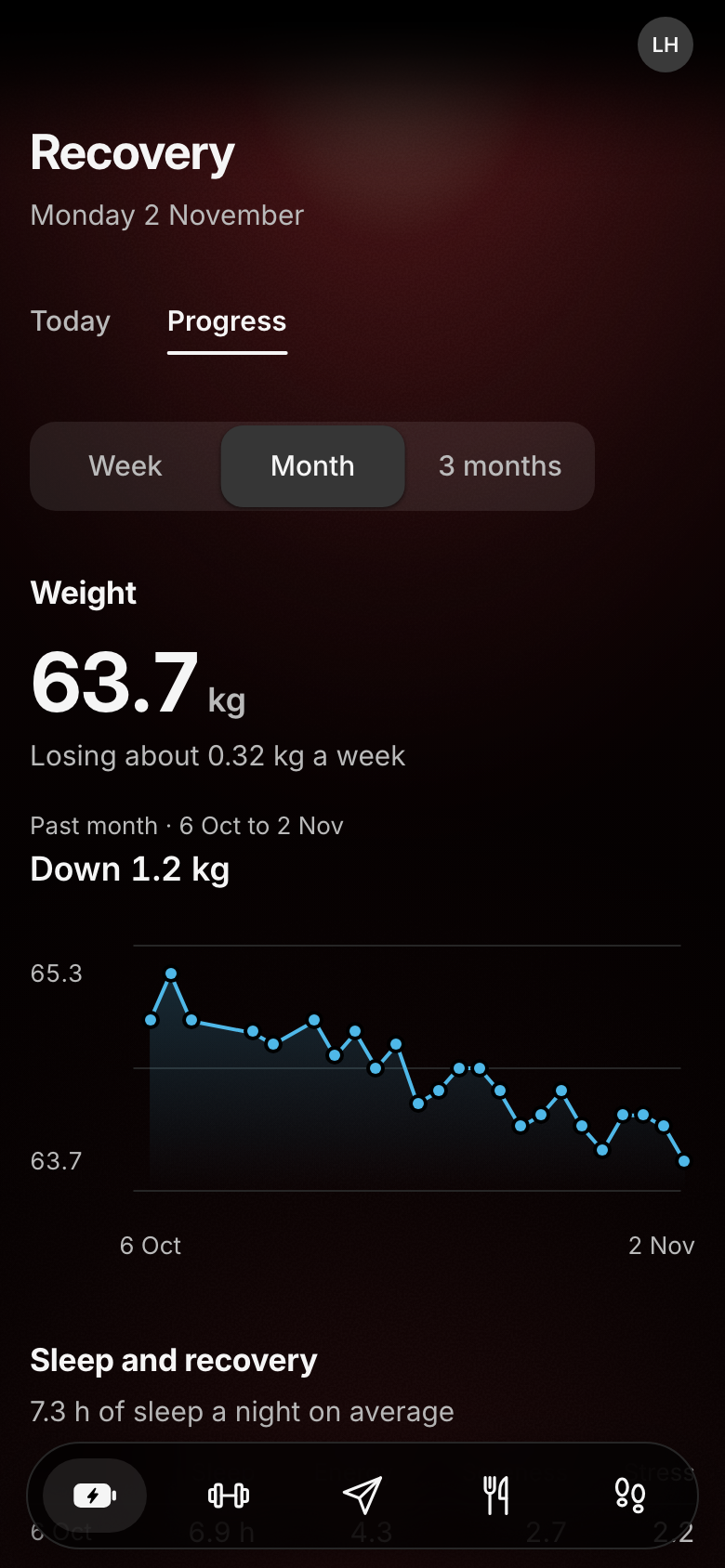
- Progress they can read. A week, a month or three months, each chart led by one plain sentence.
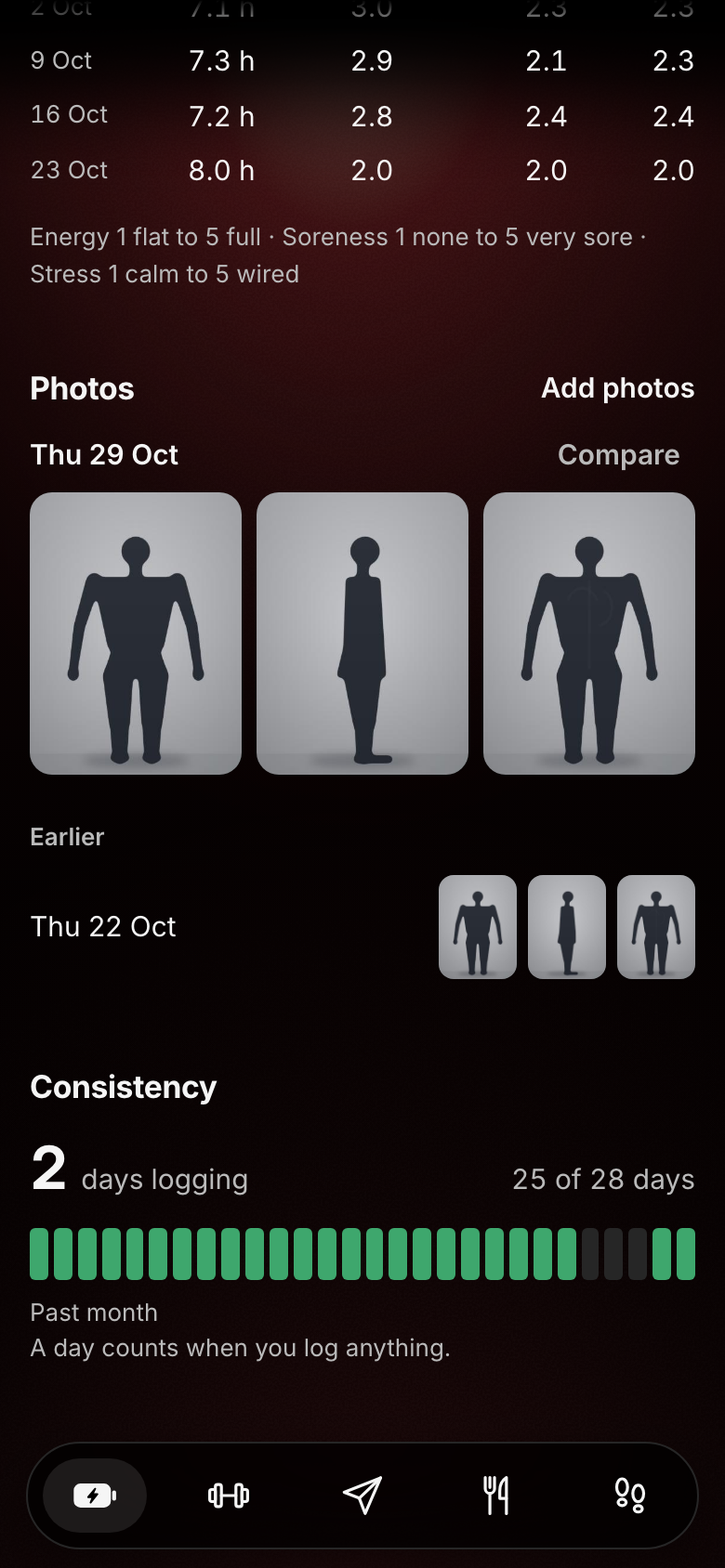
- Progress photos, on your schedule. Front, side and back, every check-in or every few weeks, with a reminder.
- Every rep counts. A last rep that stalled halfway is logged as +½, and an extra set when you allow it.
- A rest timer. Counts down from the rest you wrote, after every set.
- No signal, no problem. Everything they tap is kept on the phone and sent later.
Safer programming
Checked before it goes out.
Every plan is checked against the client before you publish, and you have the last word.
- A smarter injury check. It reads the client’s whole injury note against every exercise and flags a clash for you.
- Pain reaches you at once. A client who taps Pain mid-workout tells you straight away, with their note.
- Calorie floors held. A meal plan under the client’s floor is stopped before it goes out.
- Nothing goes out unseen. Every change your assistant drafts waits for your publish, unless you let autopilot send numbers on its own.
- Every version kept. Plans are only ever added to, so you can see what changed and roll back.
- Nothing dropped. A plan line the app cannot read is shown to you, never quietly skipped.
Your plans
Bring the plans you already write.
Set-up brings your plans into one plain written format. From then on you paste, and it reads.
- Paste a week. It reads lines like “3 sets of 6 to 10 reps @rir 0-2”, and a line it cannot read is shown to you, never dropped.
- Your technique videos. Exercises in your library open their video, in the plan and mid-workout.
- Meal plans by day of the week. Set days, so many days a week, or the client’s choice.
- Rest, times and rotations. Rest between sets, a time on a meal, or a rotation such as 2 on, 1 off.
- Swap an exercise mid-workout. When the machine is taken, for that workout only.
Phone or computer
On a phone or a laptop.
The same app, installed from a link. Work on the laptop at your desk; your clients log on their phones.
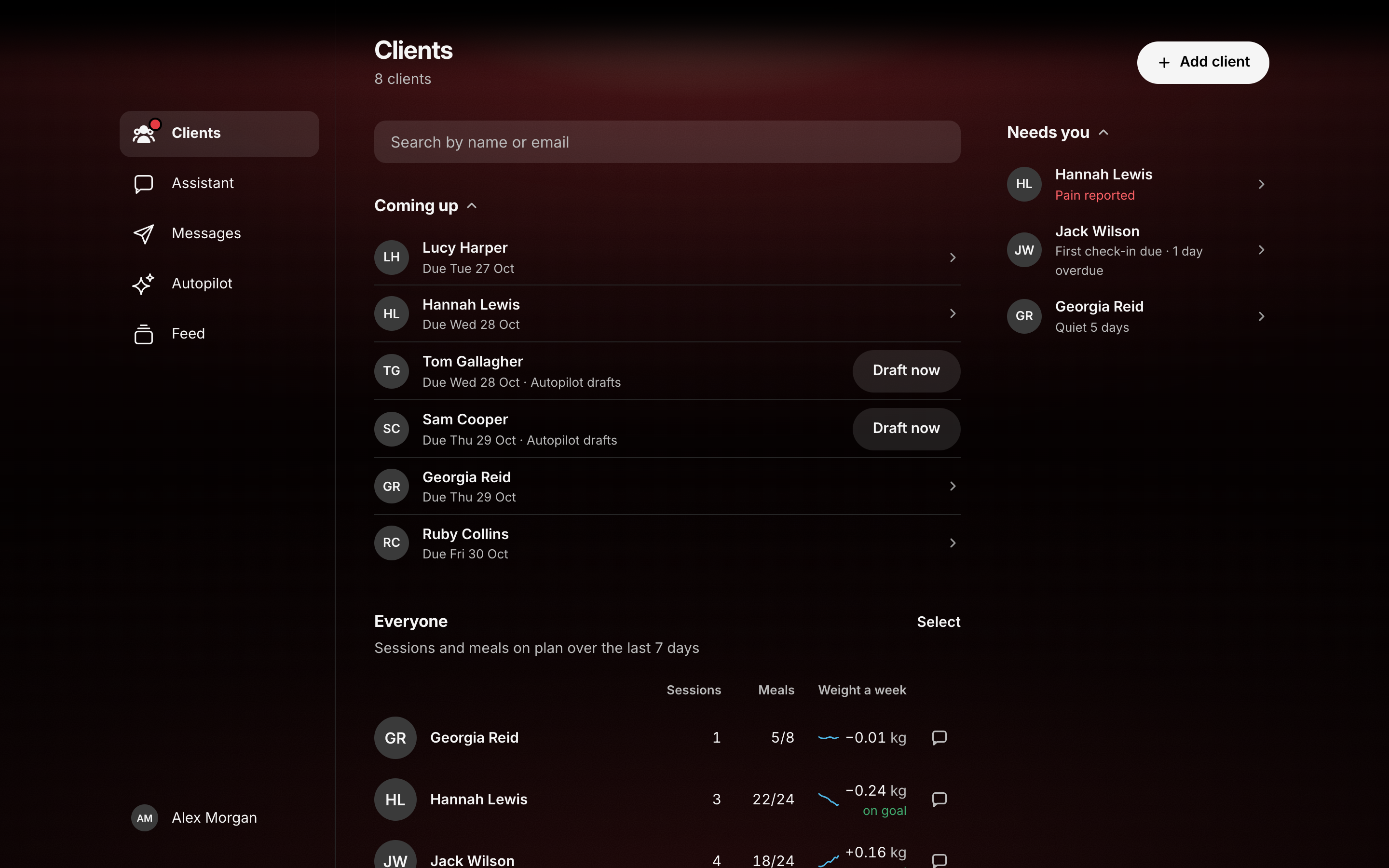
The coach app on a laptop: a rail on the left, the page beside it.
- Installs from a link. Its own icon on the Home Screen, notifications included (on iPhone, once it is added).
- Each alert, their choice. Messages, plan updates and reminders, switched on or off on each phone.
- Updates arrive by themselves. No app store, nothing to download again.
Your brand, your data
Yours, and kept safe.
Your name on it, your clients’ data kept to itself, and a quiet watch on it every day.
- Your name and logo. Your app and your icon on every client’s Home Screen.
- A database of your own. Your clients’ data is never shared with another coach.
- Two-step sign-in. A code from your authenticator app after your password.
- Backed up every night. Encrypted copies of everything, kept away from the app.
- Errors seen first. If something breaks we hear at once, with no client details in the report.
- Private photos. Progress photos are seen only by you and the client, and never sent to your assistant.
Proof
Built with a working online coach and used with real clients.
Coach quote, in their own words, with name and city.
Results: only figures the coach gave in writing, with their period.
Pricing
Talk to us.
Set up for you: your name, your plans, your exercise library and your clients invited. We will walk you through what fits your business on the demo.
Book a demo.
Twenty minutes, on a sample client.